


Digital Banking
We’re with you whenever and wherever.
Do all your banking from the device you like best
When you work with Call Federal, you gain ease and convenience with our online and mobile banking solutions.
Instant Info Anywhere
Access your accounts, pay bill, transfer funds, create automatic transfers, and more.
Convenient Access
Do all of your banking safely and securely on your mobile device, desktop, or tablet.
Keep Track
Instantly access account history, electronic statements, and more online.
Account Alerts
Stay up-to-date with customizable alerts and notifications for account activity and balance updates, whether by text or email.
Manage Your Cards
Manage multiple cards, report lost/stolen cards, create travel alerts and more.
24/7 Access
Our digital banking tools work around the clock.
Colin Schoenhaut, Director of Contact CenterOur online and mobile banking experience is helping bring Call Federal Credit Union’s technology into the future, giving members a more modern, convenient, and secure way to manage their finances.
Online Banking Registration Steps
Getting started with our new Digital Banking experience through Online Banking is quick and easy. Follow the steps below to register and begin exploring the enhanced features and functionality.
Once registered, you’ll use the same username and password to access both online banking and mobile banking, so there’s no need to register more than once.
Step 1: Go to Call Federal’s website
Go to callfederal.org from your browser.
Step 2: Click “Login”
Select Login located in the upper-right corner of the website.
Step 3: Choose “Register”
From the Login menu, click Register to begin the enrollment process.
Step 4: Complete the Registration Process
Follow the on-screen prompts to:
- Verify your Call Federal account & review and accept the required disclosures
- Enter a verification code sent by email and cell phone that we have on file for you
- Create your new username and password
- Finalize your registration
Step 5: Log In
After registration is complete, login using your newly created username and password.
Good to know! When using a trusted device, select Save Username and Trust This Device. This will reduce the need to enter your username or complete additional verification code requests each time you log in.
Step 6: Explore the New Experience
Congratulations! You’re now registered for our new Digital Banking platform.
Take some time to explore:
- Updated navigation and design
- Credit Score with Savvy Money
- View all of your Call Federal accounts, whether you are the primary or joint
- Move money easily between your accounts, other Call Federal Members, or external accounts you own with Plaid
- Enhanced account management tools
- New personalization features
Download our mobile app for your iPhone or Android and take your accounts with you wherever you go. No additional registration is required. Simply login using the same username and password you created for digital banking.
Watch our “How To” videos and discover how to make the most of your digital banking experience. Learn time-saving tips and convenient features designed to give you greater confidence and peace of mind.
Download our Mobile App
Busy at work? At home sick? Out of town? Call Federal’s mobile banking app has you covered when you don’t need face-to-face assistance from us. Use these links to download our app and get started.
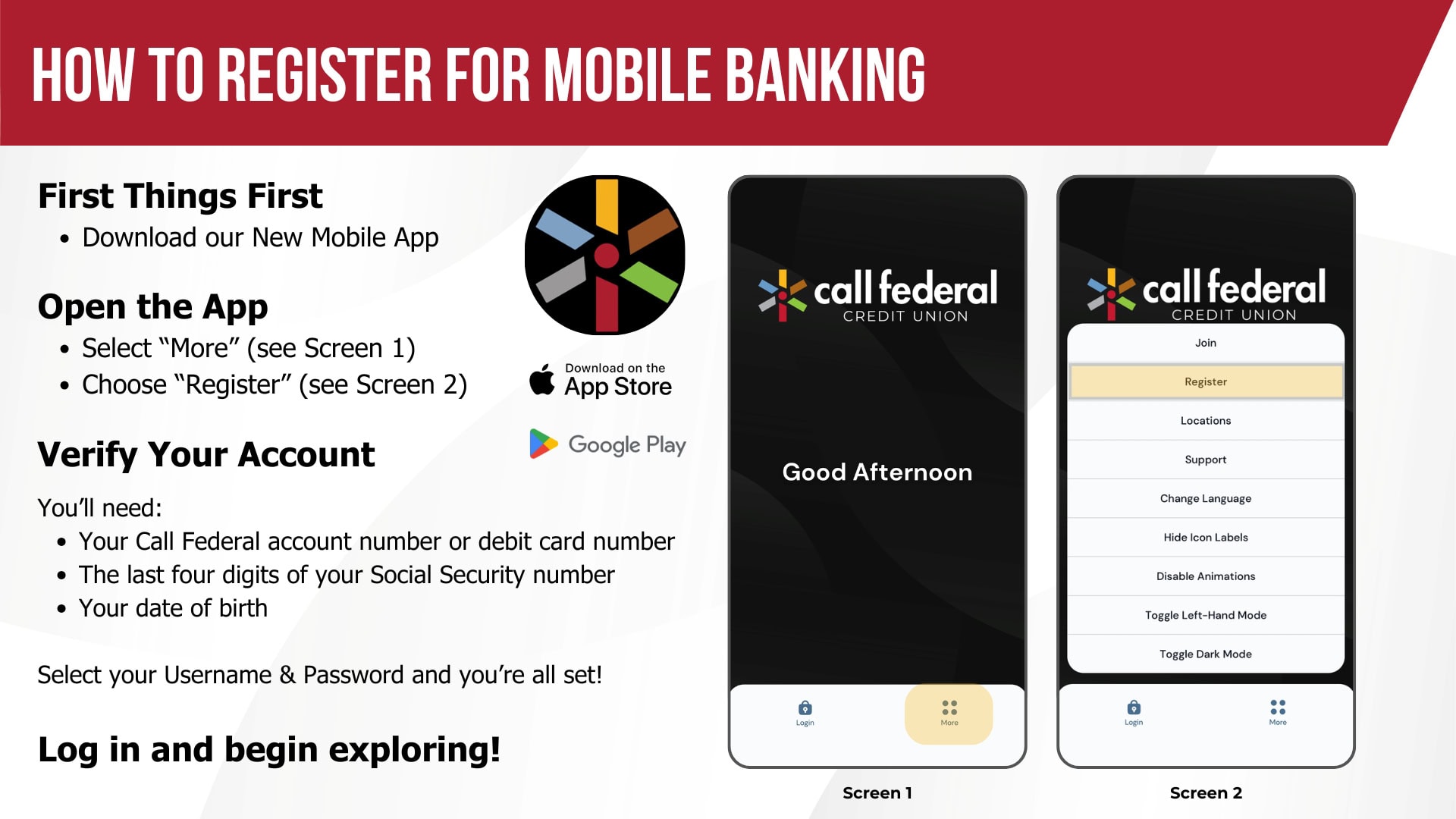
Mobile Banking Registration Steps
Getting started with our new Digital Banking experience is easy! Follow the steps below to register and begin exploring the enhanced features and functionality.
Step 1: Register with Our New Mobile App
Download and open the new Call Federal Mobile App.
Step 2: Select “More”
Once you’ve opened the app, tap More in the navigation menu.
Step 3: Choose “Register”
From the More menu, select Register.
Step 4: Complete the Registration Process
Follow the on-screen prompts to:
- Verify your Call Federal account & review and accept the required disclosures
- Enter a verification code sent by email and cell phone that we have on file for you
- Create your new username and password
- Finalize your registration
Step 5: Log In
After registration is complete, login using your newly created username and password.
Good to know! When using a trusted device, select Save Username and Trust This Device. This will reduce the need to enter your username or complete additional verification code requests each time you log in.
Step 6: Explore the New Experience
Congratulations! You’re now registered for our new Digital Banking platform.
Take some time to explore:
- Updated navigation and design
- Credit Score with Savvy Money
- View all of your Call Federal accounts, whether you are the primary or joint
- Move money easily between your accounts, other Call Federal Members, or external accounts you own with Plaid
- Enhanced account management tools
- New personalization features
Prefer a larger screen? Explore our online banking to take advantage of a full-screen view. Just login with the same username and password you use for mobile banking. No additional registration is needed.
Need Assistance?
If you have questions or experience difficulties during registration, please contact us and we will be happy to help! We’re here to help make your transition to the new Digital Banking experience as smooth as possible.
Popular Digital Banking Features
Digital Wallet
Your wallet filling up with cards?
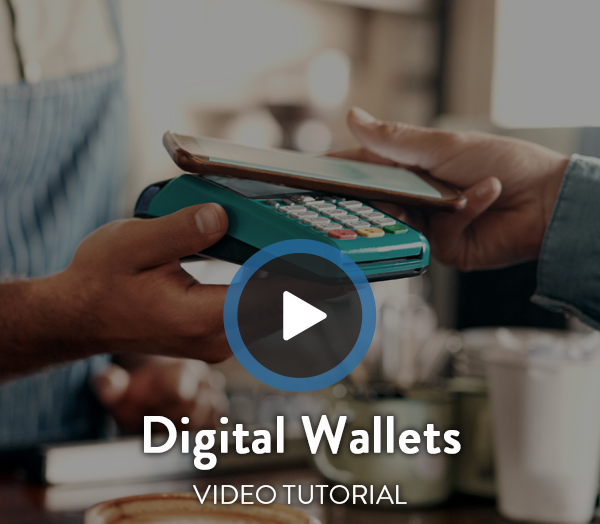
Slim down on plastic by using your own custom Digital Wallet to pay for things using your mobile device online, in an app, or at a store. It’s compatible with Apple Pay, Google Wallet, and Samsung Wallet.

Zelle®
Send Money Fast and Securely!
Zelle®, a fast, safe, and easy way to send money to family and friends using just a U.S. mobile number or email address.


Have questions?
Call Federal is here to help. Reach out to us today for more information and expert guidance to meet your needs.